Why Your Smart Lock Auto-Lock Delay Is a Security Liability
Affiliate Disclosure: This article may contain affiliate links. Luxbrook earns a small commission on qualifying purchases at no additional cost to you. We only recommend products we have independently researched and believe offer genuine value.
The default auto-lock delay on most smart locks is set for convenience, not security. Here is the specific setting that most homeowners never change — and why it matters.
Most smart lock owners have never changed the auto-lock delay from its factory default. That default is almost always set to 30 seconds or longer — a window that is long enough for a determined intruder to follow you through the door, and long enough for a child to wander out unnoticed.
The auto-lock delay is the interval between when your door closes and when the lock engages. It exists because smart lock manufacturers know that false locks — the lock engaging before you have fully entered — generate support calls and negative reviews. So they err on the side of convenience. The result is a security gap that most homeowners do not know exists.
This is not a theoretical concern. The most common residential break-in scenario is not a forced entry — it is an unlocked door. According to FBI crime statistics, approximately 32% of residential burglaries involve entry through an unlocked door or window. A 30-second auto-lock delay means your door is unlocked for 30 seconds after every entry and exit.
Why This Is Harder Than It Looks
The auto-lock delay interacts with two other smart lock features in ways that create compounding vulnerabilities: the door sensor and the departure detection.
Many smart locks use a door position sensor to detect whether the door is open or closed. If the sensor is miscalibrated or the door does not close fully, the auto-lock never triggers. This is a common failure mode in homes with settling foundations or doors that swell seasonally. The lock reports "locked" in the app because the timer ran, but the door is actually ajar.
Departure detection — the feature that locks the door when your phone leaves the geofence — has its own delay built in. Most implementations wait 5 minutes after you leave the geofence before locking, to avoid false locks when you step outside briefly. Combined with a 30-second auto-lock delay, you have a multi-minute window of vulnerability on every departure.
> The correct auto-lock delay for a primary residence is 5–10 seconds — short enough to prevent tailgating, long enough to avoid false locks. Every second beyond 10 seconds is a convenience feature that trades security for comfort.
Practical Implementation
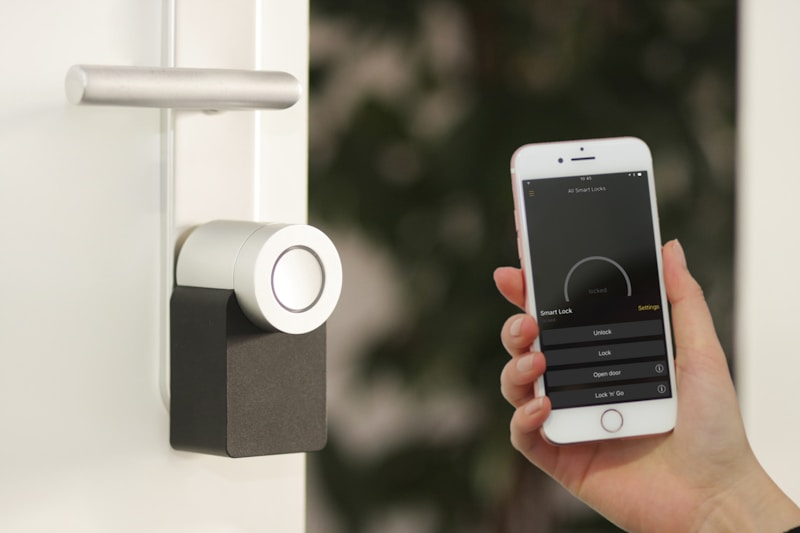
1. Open your smart lock app and navigate to the auto-lock settings. Change the delay to 5–10 seconds. If your lock does not support delays under 30 seconds, that is a product limitation worth noting when you replace it. 2. Enable door position sensing if your lock supports it. This prevents the lock from reporting "locked" when the door is ajar. August and Schlage Encode both support this feature. 3. Test your door sensor calibration. Close the door fully and check the app — it should show "closed." If it shows "open" or "ajar" with the door fully closed, recalibrate the sensor or adjust the door strike plate. 4. Disable departure detection as your primary lock mechanism. Use it as a backup only. The primary lock trigger should be the auto-lock timer, not geofencing. 5. Enable lock status notifications. Every time the lock engages or disengages, you should receive a push notification. This creates an audit trail and alerts you to unexpected activity.
Product Recommendations
The August Wi-Fi Smart Lock (4th Gen) supports auto-lock delays as short as 30 seconds in the app — not ideal, but it also supports DoorSense, which detects whether the door is fully closed before confirming the lock status. Pair it with the August Door Sense accessory for complete door position monitoring.
The Schlage Encode Plus supports HomeKit Secure Video and has the most reliable door position sensing of any consumer smart lock. Its auto-lock delay is configurable down to 15 seconds, and it supports Apple Home automations that can trigger additional security actions on lock/unlock events.
FAQ
What is the safest auto-lock delay for a smart lock? 5–10 seconds is the recommended range for a primary residence. This is short enough to prevent tailgating and long enough to avoid false locks on normal entries.
Does auto-lock drain the smart lock battery faster? Minimally. The motor engagement for auto-lock uses the same power as a manual lock. Battery life is more affected by the number of lock/unlock cycles per day than by the auto-lock delay setting.
What happens if my smart lock auto-locks while the door is open? Most smart locks with door position sensing will not auto-lock while the door is open. If your lock does not have door position sensing, it will attempt to lock regardless of door position, which can jam the bolt against the door frame.
Can I set different auto-lock delays for different times of day? Yes, through automation rules in most smart lock apps. A common configuration is a 5-second delay during the day and immediate auto-lock at night.
Is departure detection reliable enough to use as the primary lock trigger? No. Geofencing has a 5–10 minute lag and can fail if location services are restricted. Use auto-lock timer as the primary mechanism and departure detection as a backup.
Shop the Article
As an Amazon Associate, Luxbrook earns from qualifying purchases.
Products Mentioned in This Article
Affiliate links · seperts-20
Smart Lighting
Lutron Caseta Wireless Smart Lighting Starter Kit
Professional-grade smart dimmer switches. Works with all major ecosystems.

Smart Lighting
Philips Hue White & Color Starter Kit
4 smart bulbs + Bridge. 16 million colors, voice control, automations.
Smart Locks
Yale Assure Lock 2 with Wi-Fi
Touchscreen keypad, Matter compatible, works with all major ecosystems.
As an Amazon Associate, Luxbrook earns from qualifying purchases at no extra cost to you.